Adding contacts to a Flow Stage
There are a few ways to add a contact to a Flow Stage, we will review those below
Add a single person to a stage from the Flows page
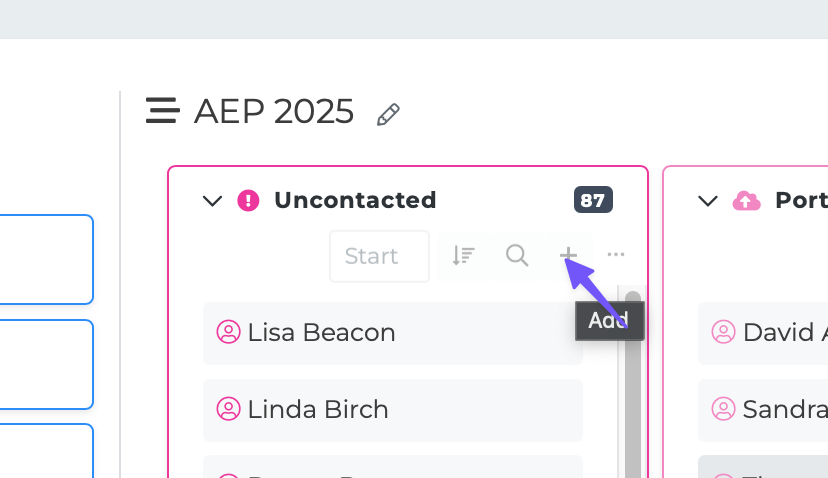
On your flow stage, locate the + button near the top of the stage
This will open up a search model where you can search for the contact you want to add to the flow.
Add a single person to a stage from their profile page
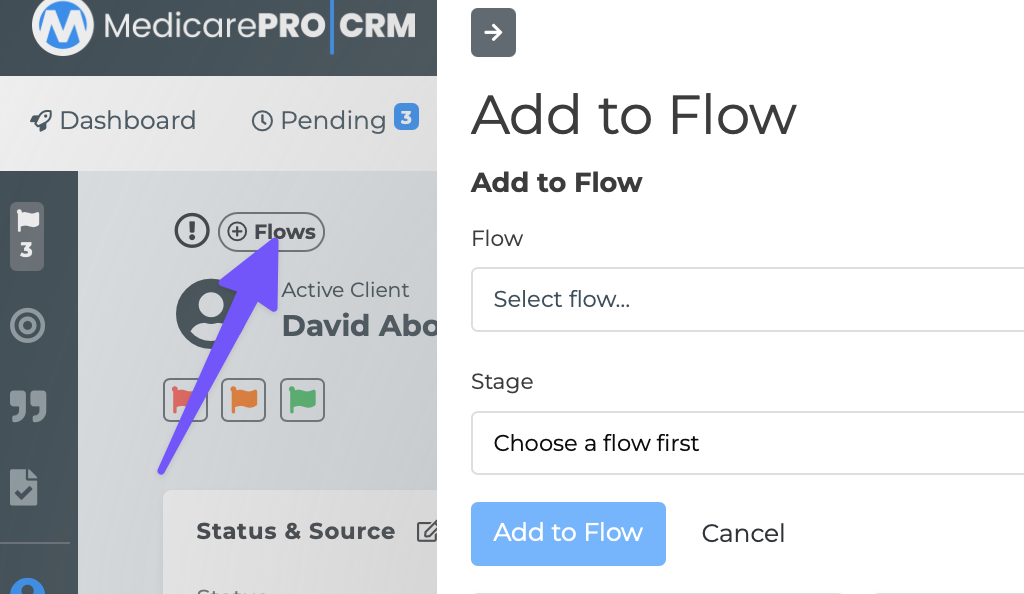
If you are on the contact profile page and want to quickly add or move them to a flow stage follow the steps below:
If the individual is not assigned to any flows, you will see a "+Flows" button near the top left of the profile page. Click this and follow the prompts.
Add individuals to Flows in bulk
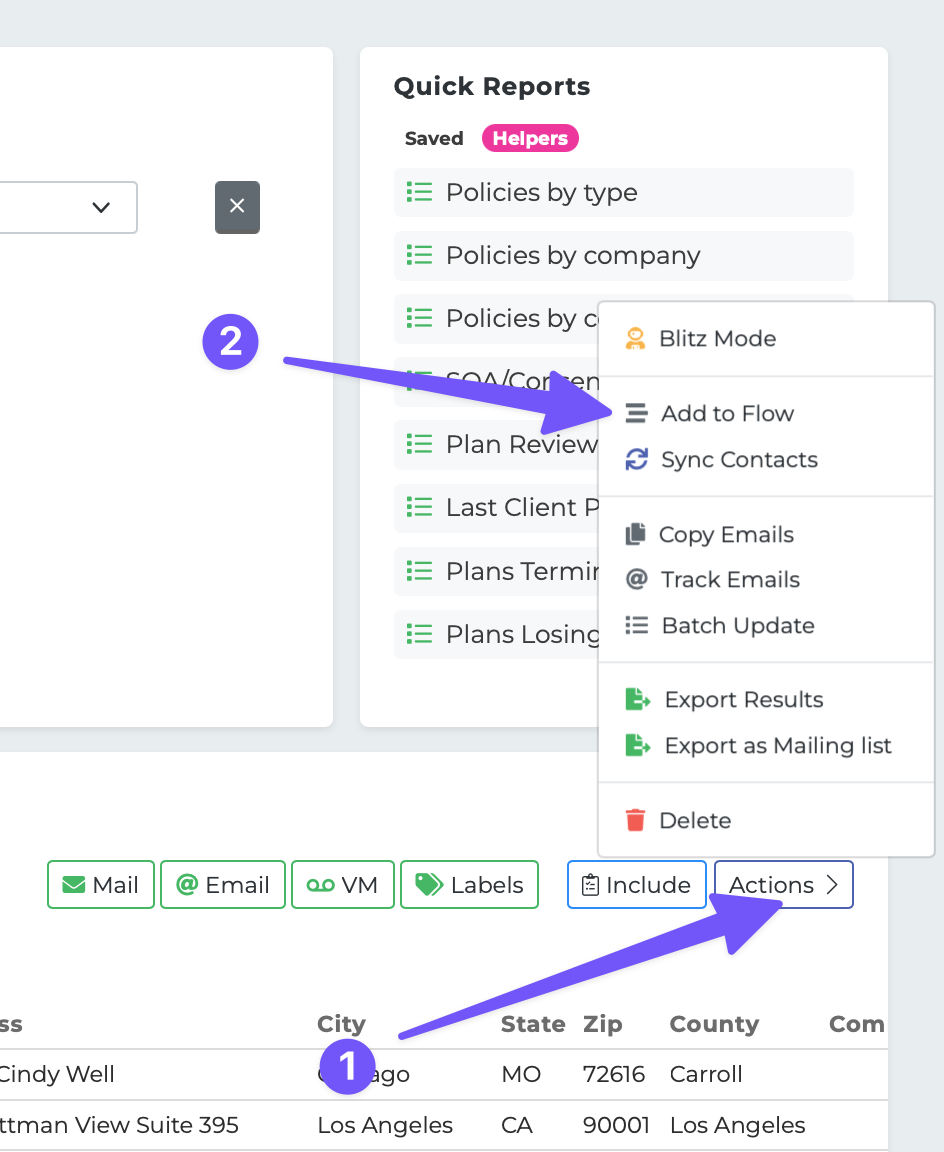
Go to your Reporting page
Run any sort of report that isolates the people you want to add to your Flow
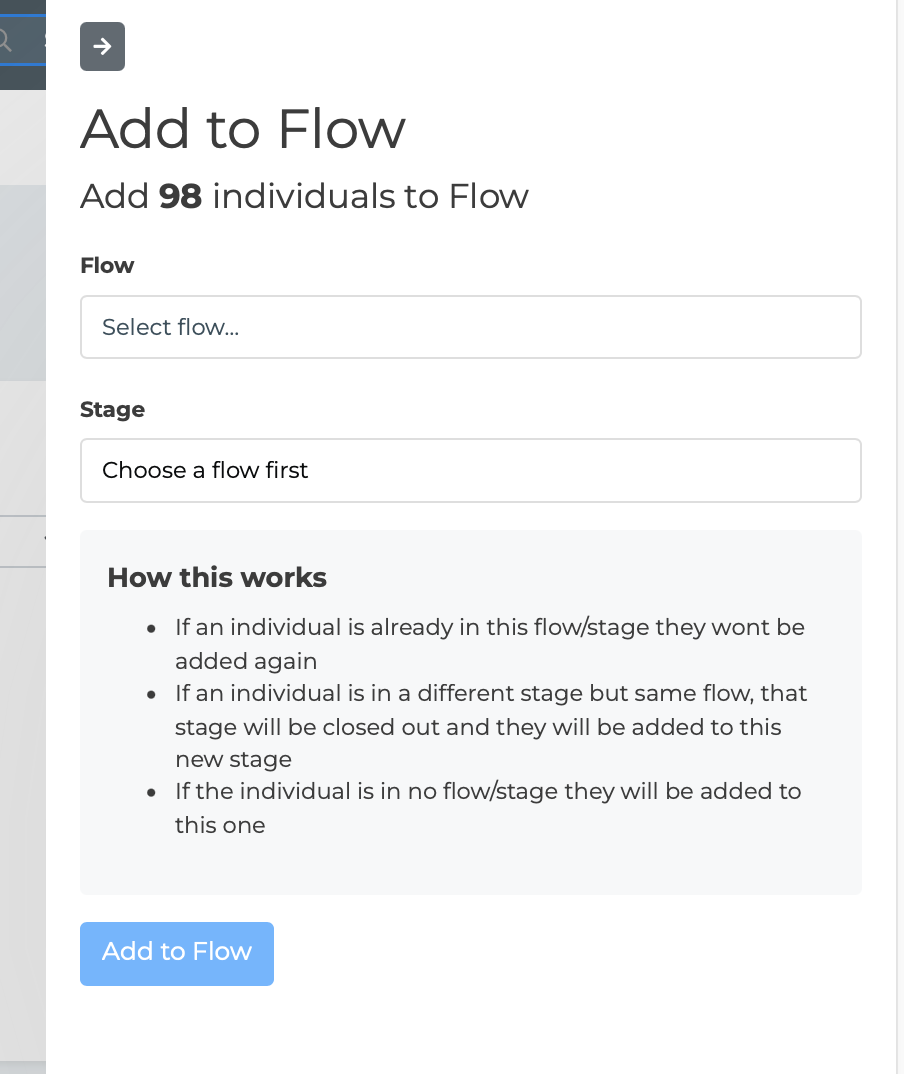
Click the Actions button and then "Add to Flow"
Follow the prompt to begin adding in bulk