
Approved IPs for Staff and Agents
Edited
For compliance purposes you can establish a IP whitelist for each staff and LOA agents in your organization.
Staff and Agents will only be able to log into the site when they are using one of the approved IP addresses in the list.
If no IP addresses are listed for a staff member or agent then they can log in with any IP address.
To set this up follow these steps.
Go to the Agency Platform
Navigate to Agency Settings
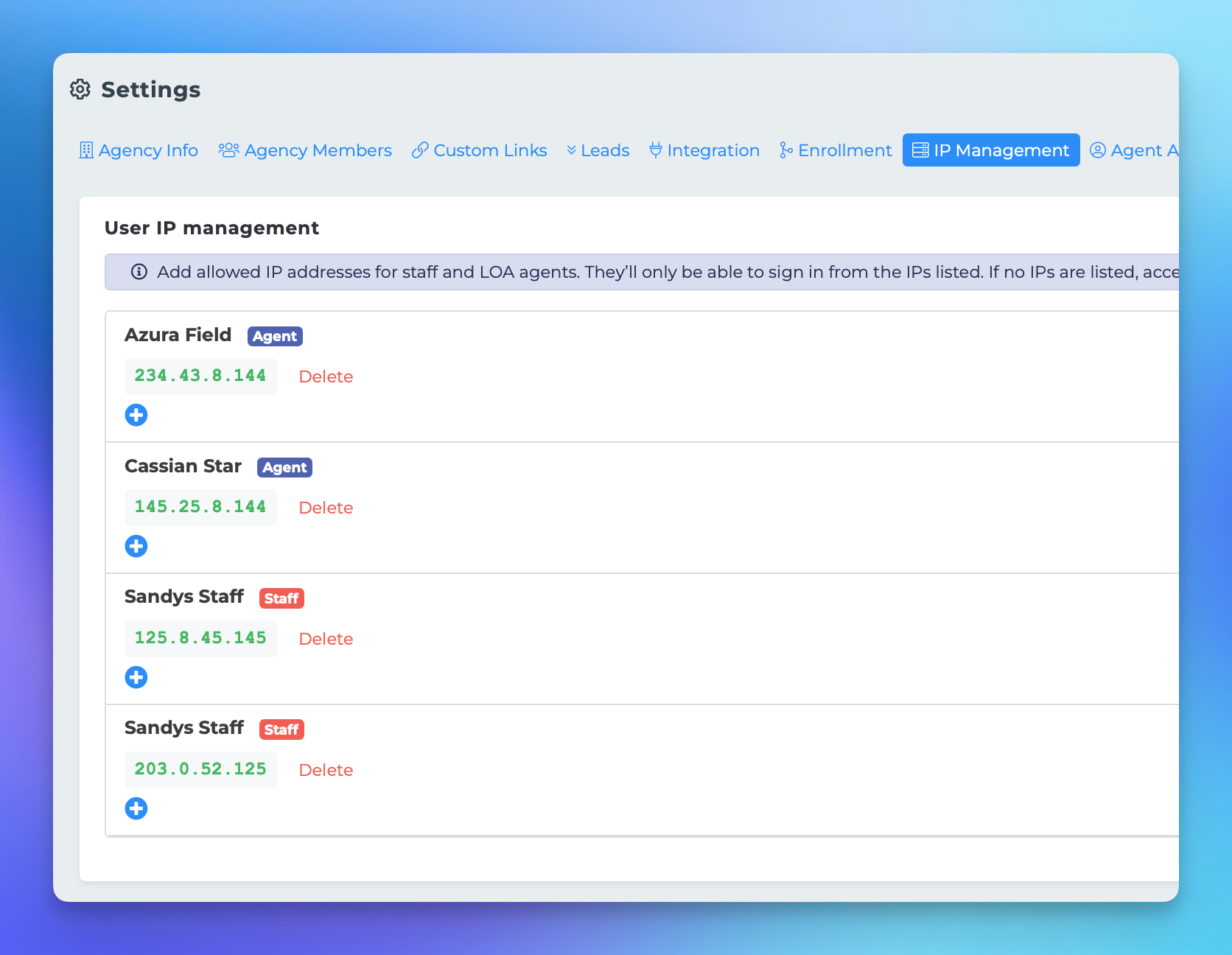
Click IP Management in the settings nav bar
A list of your staff members and LOA agents should populate.
For each agent click the + icon and add an approved IP
IP
security
agency
agents
staff