
Convert a Staff Member to an Agent
Use this when someone who works for you as a staff member is getting licensed and should have their own agent account in your agency. The staff member is emailed a signup link. When they finish signing up, they become an agent in your agency, and their staff login stops working.
One email address can be a staff login or an agent login, never both. This action moves the address from one to the other for you. You no longer need to remove the staff member and send them an invite link by hand.
Where to find it
You need to belong to an agency. The action is on each staff member's row, in the actions menu (the three dots on the right):
Agency staff: Agency Settings → Agency Members, in the Staff list.
Your own staff: MyBiz Settings → Staff. The staff member becomes an agent in the agency you belong to.
If you do not belong to an agency, the action does not appear. A converted staff member needs an agency to join.
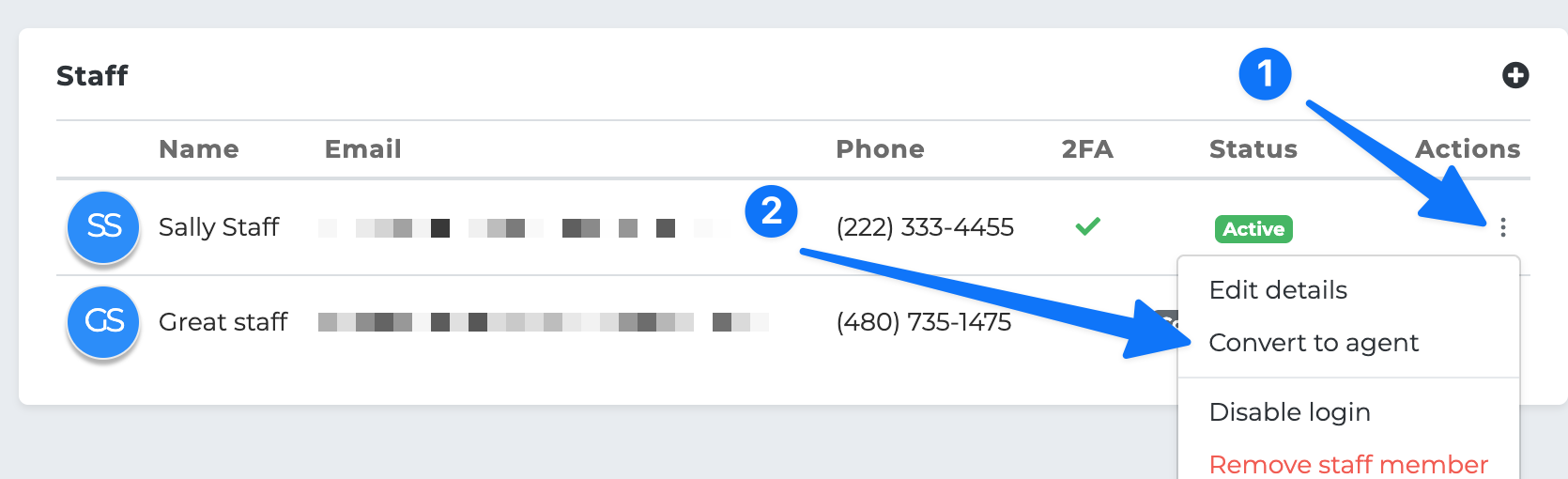
Convert a staff member
Open the staff list, then the actions menu on the staff member's row.
Click Convert to agent.
Choose what kind of agent they will be:
- Agent — their book of business is separate from yours, and you still see their production. - LOA Agent — you can access their book of business, and they cannot access yours. - LOA Community Agent — you can access their book, and they can access yours. - Agency — they get their own downline agency and can invite agents of their own.
Click Send signup link.
The staff list shows "Signup link sent to" and the staff member's email.
What the staff member does
They get an email titled Set up your agent account with your agency's name. The button opens your agency's signup page with their email already filled in. They add their NPN, address and a new password, and finish signing up.
Their new agent account:
Joins your agency as the kind of agent you chose.
Starts on a trial.
Uses the same email address, with the new password they chose.
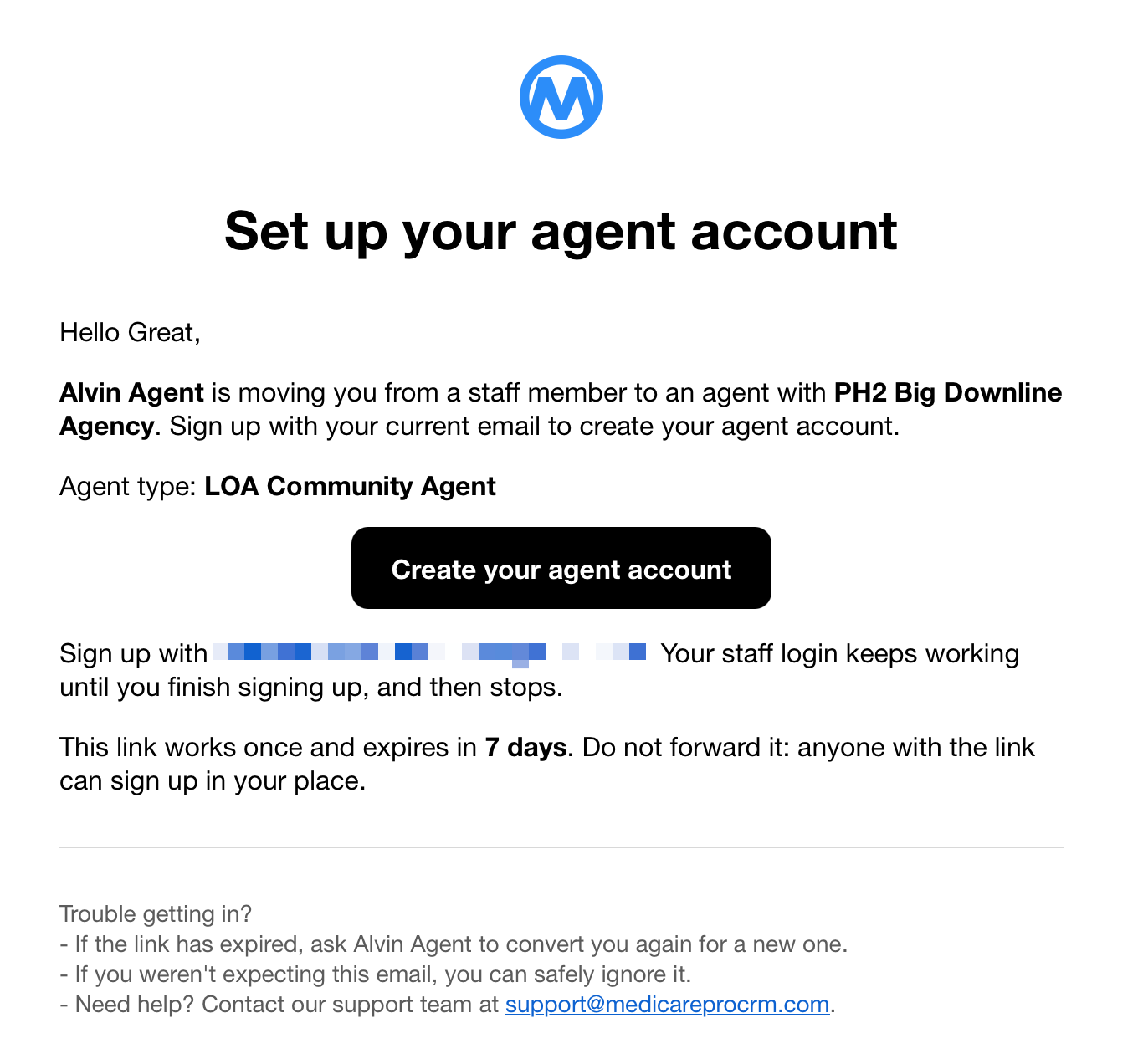
What happens to the staff login
Until they finish signing up, their staff login keeps working exactly as before.
Once they finish, their staff login stops working. Signing in with their email opens their agent account.
Notes and tasks they wrote as a staff member still show their name.
Their row stays in your staff list, marked Converted to agent. The only action left on it is Remove staff member.
Their staff signatures and notification settings do not carry over to the agent account.
The signup link
It works once, and expires after 7 days.
It only works for the staff member's own email address.
If it expires, convert them again. That sends a new link, and the old one stops working.
If they forward it, the person they forward it to could sign up in their place. Ask them not to forward it.
When you cannot convert
You will see a message instead of the email being sent when:
The staff member also works for another agent or agency. Converting them would end their staff login there too. That agent or agency has to remove them as staff first.
The staff member has already been converted.
You also cannot convert yourself, when you are signed in as a staff member.