
Find Clients With or Without an Email or Phone Number
Purpose
This article shows how to find every client who has, or is missing, an email address, a phone number or a cell phone number. You can then flag them, update them or add them to a flow in one step, instead of sorting a column and working through the list by hand.
The three filters
On the Reporting page, the Filter by list includes three filters for contact details. Each one is answered Yes or No.
Filter | Yes finds clients who... | No finds clients who... |
|---|---|---|
Individual: Has Email | have at least one email address they have not opted out of | have no email address, or only email addresses they have opted out of |
Individual: Has Phone | have at least one phone number of any type | have no phone number |
Individual: Has Cell Phone | have at least one phone number saved as Cell | have no phone number saved as Cell |
A few things worth knowing:
Opted-out emails don't count. If a client's only email address is marked Opt Out, Has Email treats them as having no email. You can't email them, so they belong with the clients you need to reach another way.
Empty entries don't count. An email or phone entry that was saved without an address or number is ignored.
Has Cell Phone depends on the phone type. A mobile number saved as Home or Work is not counted. If a client you expect is missing, check the type on their phone number.
Step 1: Filter your clients
Open Reporting.
In Filter by, choose Individual: Has Email, Individual: Has Phone or Individual: Has Cell Phone.
In Refine, choose Yes or No.
The Email or Phone column switches on automatically, so you can see the details the filter is looking at.
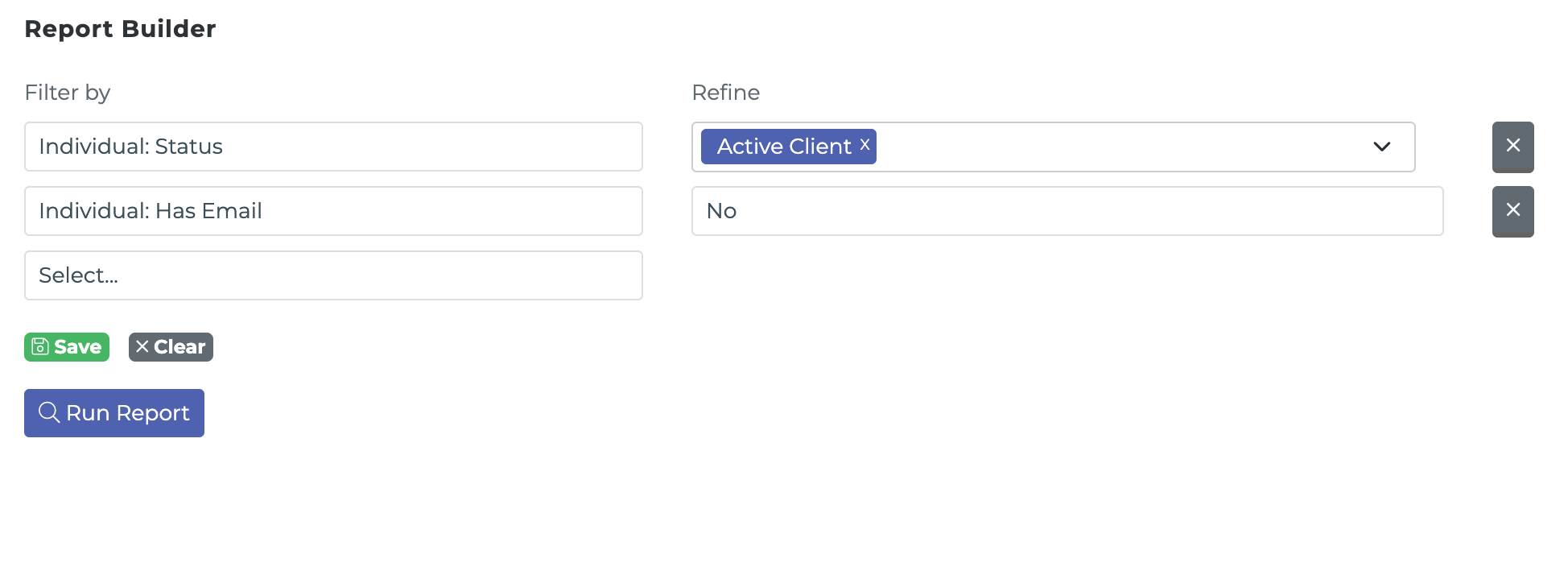
You can combine these with any other filter. For example, Individual: Status set to Active Client plus Individual: Has Email set to No finds your active clients with no usable email address.
Click Save to keep the report for next time.
Common questions
A client has an email on their profile but shows up under Has Email: No. Why? Their email address is marked Opt Out. Open the profile to check.
Can I use this in an automation? Not yet. These filters are available on the Reporting page only.