
Understanding Your Results
Purpose
This article explains what the results screen is telling you: how much of your book the file actually covers, what each group of clients means, and the labels that explain why someone was flagged.
Coverage: how much to trust the file
The first thing on the results screen is a percentage.
100% matched — This file accounts for 42 of your 42 active UHC policies with this carrier.
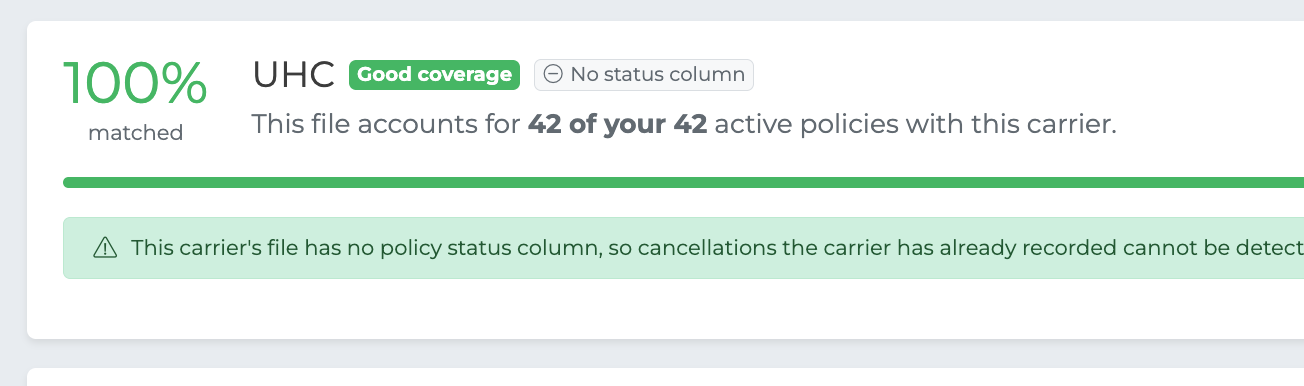
Coverage is how much of your book with that carrier the file accounts for. It is the single most important number on the page, because it tells you whether the results are worth acting on.
Coverage | What it means |
|---|---|
Good coverage | The file looks like your whole book. Results are reliable. |
Looks like a partial report | The file only covers part of your book — perhaps one product line, one state, or one plan year. Review carefully before acting. |
Not enough overlap to act on | Very little matched. Usually the wrong carrier or a file that couldn't be read properly. Cancelling is disabled. |
A low percentage almost never means "most of your clients dropped off". It means the file doesn't describe your book, and you should check the carrier before going any further.
Your book is clean
When nothing needs your attention, you'll see this instead of a table:
✅ Your UHC book is clean

That is the good outcome — every active policy you hold with the carrier is on their file. You can still open View all groups to see the full breakdown if you want it.
The groups
When there is something to look at, results are split into groups. Two of them are things you can act on; the rest exist to explain why other policies were set aside rather than flagged.
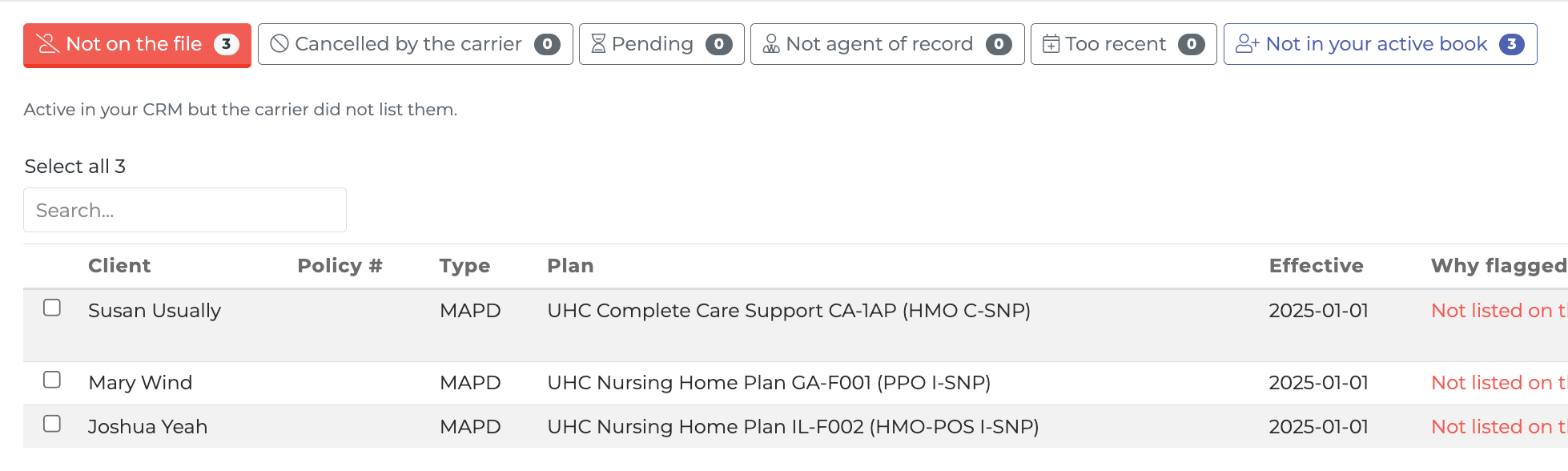
Not on the file
Active in your CRM, but the carrier didn't list them. These are your likely drop-offs and the main reason to run a reconciliation.
Absence is an inference rather than a statement, so check the Context column before acting — see below.
Cancelled by the carrier
The carrier listed the client and marked the policy cancelled, terminated, disenrolled or lapsed — or gave it an end date in the past.
This is the most reliable group on the page, because the carrier is telling you directly rather than you inferring it from silence.
This group only appears for carriers whose report includes a policy status column. Around a third don't publish one, and for those you'll see a note saying so.
Pending
Sold but not yet effectuated. Carriers generally don't list pending business on a book of business report, so their absence is expected rather than a drop-off.
Not agent of record
Policies where you aren't the agent of record. They legitimately may not appear on your report, so they aren't treated as missing.
Too recent
Policies that start after the date the file is current as of. They couldn't have been on the report, so they're set aside.
Not in your active book
People on the carrier's file who don't match any of your active policies with that carrier.
This is not the same as "new clients". Some may be new business you haven't recorded. Others will already be in your CRM — with a lapsed policy, a policy at a different carrier, or as a prospect. The comparison only looked at your active book with this carrier, so that's all this group can tell you.
If it looks like there's real business here, you can hand the file to the import team — see Taking Action.
Context labels
Rows in Not on the file often carry a label explaining why. These turn an alarming list into a recognizable one, and they change what you should do.
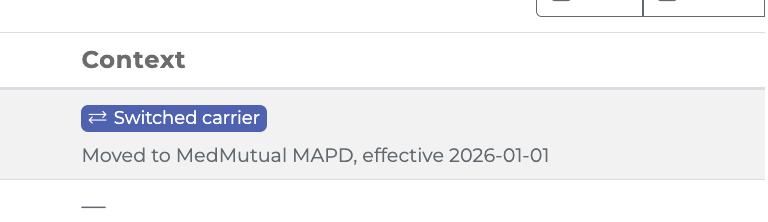
Switched carrier
The client holds a newer active policy at a different carrier, and the move makes sense as a replacement — for example an Advantage plan replaced by another Advantage plan.
Moved to Aetna MAPD, effective 2026-01-01
This is usually your own past work. The suggested action changes to Mark replaced rather than Cancel, because that's what actually happened.
Newer policy
The client has a newer policy elsewhere, but it isn't a replacement — for example they simply also bought life cover. Shown as context only; the suggested action is unchanged.
Same name, different DOB
Someone with this client's name is on the carrier's file, but under a different date of birth.
On the file as Walter Badger, born 1941-09-08 — your CRM has 1954-04-15
Either it's a different person who happens to share the name, or the date of birth in your CRM is wrong. That second case matters: if it's a typo, the client is still on the carrier's book and cancelling them would be exactly the wrong move. No action is suggested for these until someone has looked.
Possible duplicate
Another policy for the same client, carrier and type was matched on the file. This row is more likely a duplicate in your CRM than a genuine drop-off.
Recently effective
The policy started within 45 days of the file's date. Carriers are often slow to add new business to their reports, so it may simply not have appeared yet.
Changing the as-of date
The date at the top right controls which policies are considered too recent to be on the file. Changing it re-runs the comparison immediately.
Raise it if you know the carrier reports further ahead than the file suggests; lower it if the file is older than its contents imply.