
Reconcile Book Troubleshooting
Purpose
The most common problems, what causes them, and what to do.
"We couldn't match this file to your book"
None of the people on the file matched any of your active policies with that carrier, so instead of results you'll see a diagnosis and a few names from the file.
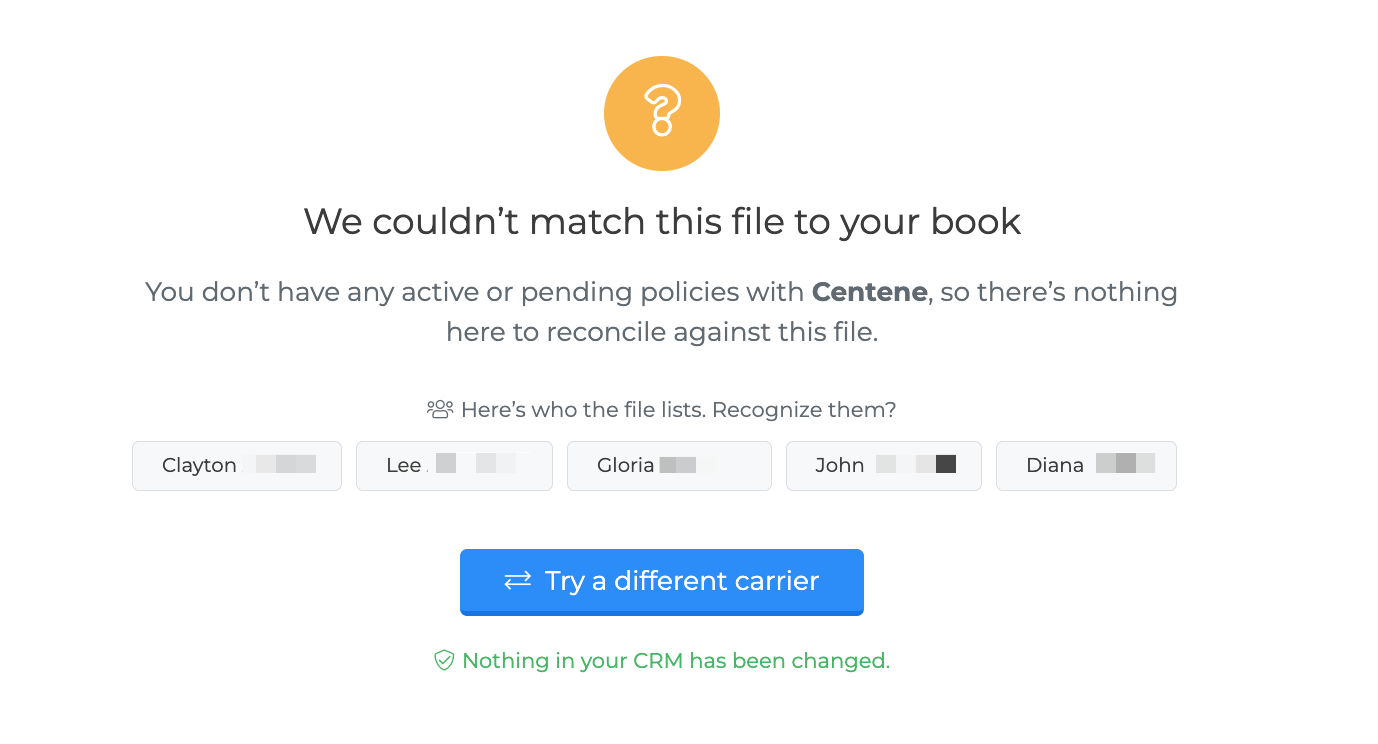
Rather than show you a list of clients that would look like drop-offs but isn't, the screen asks the more useful question: do you recognize these people?
You don't recognize them — it's a different carrier's report, or another agent's book. Use Try a different carrier, or upload the right file.
You do recognize them — the file was probably read with the wrong carrier's layout. Re-upload and pick the carrier manually at the confirmation step.
You have no policies with this carrier — the message will say so directly. There's nothing to reconcile against.
Nothing in your CRM is changed by this.
The wrong carrier was detected
Choose No, choose another at the confirmation step and pick the right one. The file is read again with that carrier's layout — you don't need to upload it a second time.
If you've already run the comparison, use Upload another file and pick the carrier manually.
"This carrier's file has no policy status column"
Around a third of carriers don't publish a status in their book of business report. For those, the comparison can only tell you who is missing from the file — it can't see cancellations the carrier has already recorded.
This isn't an error and there's nothing to fix. It's flagged so a clean result isn't read as more than it is: "everyone is on the file" is a narrower statement than "nobody has been cancelled".
Someone is listed as missing but I can see them on the file
Almost always a date of birth mismatch. Check the Context column for:
Same name, different DOB — On the file as Walter Badger, born 1941-09-08 — your CRM has 1954-04-15
A matching name with a different birthdate is treated as a different person, which is usually right — but if the date in your CRM is a typo, it's the same person and they haven't gone anywhere. Correct the date of birth on the client's profile and reconcile again.
Other reasons a real match can be missed:
The name on the file is materially different — a married name, or a legal name where your CRM has a nickname.
Your CRM record has no date of birth and the name differs enough not to match.
"This file is too small to conclude that anyone has dropped off"
The file has few rows and covers little of your book, so absence from it doesn't prove anything. Cancellations the carrier explicitly reported are still actionable.
If you expected the file to cover your whole book, you've probably exported a filtered view rather than the full report.
Note that a small file covering your whole book is fine — 40 rows accounting for all 40 of your policies won't trigger this.
Coverage is far lower than expected
The file only accounts for part of your book. Common causes:
A partial export — one product line, one state, or one plan year rather than everything.
The wrong agent's book — for agencies, a downline's report rather than your own.
An old file — recent business won't be on it.
The wrong carrier, especially where a parent company files under several names.
Check the carrier first. If the file genuinely is partial and the results look right, you can override the block — see Taking Action.
Nothing appears under "Ready to reconcile"
That column only lists carrier files uploaded for importing that you haven't reconciled yet, one per carrier. It's empty when:
you've never uploaded a carrier file for import
you've already reconciled everything eligible — those move to the History tab
your uploads have no carrier recorded against them
Drop a file on the upload area instead.
I cancelled the wrong policies
Undo them from the History tab. Every action records the previous state before changing anything, so undoing restores exactly what was there. See History and Audit Trail.
The file won't read at all
Nearly always because the file has been modified since it was exported. The CRM identifies carriers by their column headers, so re-saving in Excel, adding or renaming columns, inserting a title row, or merging reports will break recognition.
Download a fresh copy from the carrier's portal and upload it unchanged.
Also check:
The format is
.csv,.xls,.xlsxThe file is under 10MB
It's the book of business report, not a commission statement — those go to Commission Statements instead