
Tags and Split Rules
Agency accounts only. Tags and split rules require an agency account.
What Are Tags?
Tags are labels you can assign to commission statement rows to categorize them and control how payouts are calculated. Tags serve two purposes:
Organization — Categorize commission rows by type, source, team, or any custom grouping.
Split Rules — Attach payout distribution rules to tags so that tagged rows automatically split commissions between agents.
Assigning Tags
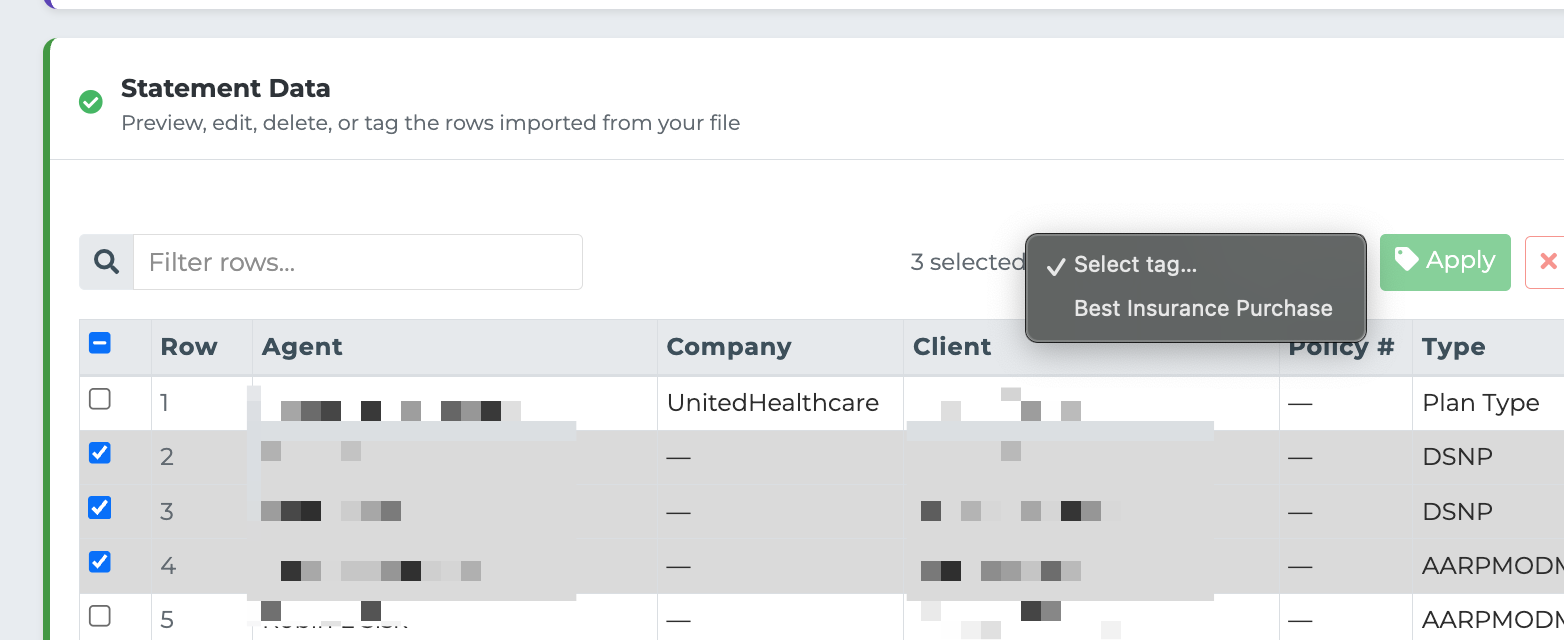
Tags can be assigned to statement rows in the Statement Detail View:
Each row in the statement table has a Tags column.
Click the tag area on a row to add or remove tags.
You can assign multiple tags to a single row.
Tags are color-coded for easy visual identification.
Tags are also available when viewing statement results after processing.
Creating Tags
Tags are created and managed in the Settings tab under Tags and Splits:
Go to Settings > Tags and Splits.
Click Add Tag.
Enter a tag name (e.g., "Team Lead Override", "Mentorship Split", "Referral Fee").
Optionally assign a color for visual identification.
Optionally attach split rules to the tag.
Split Rules
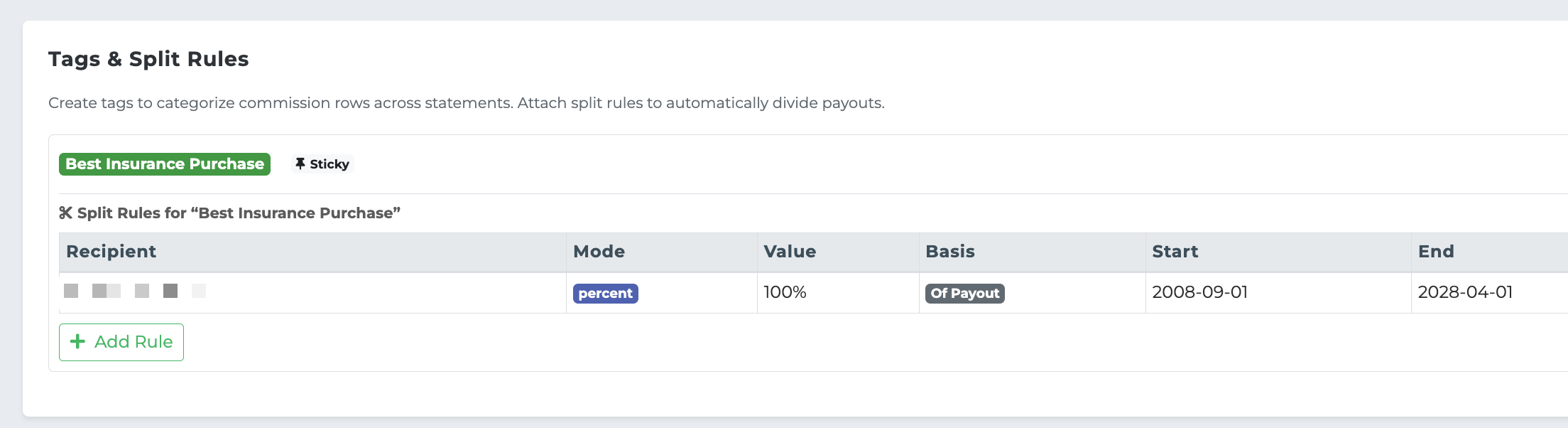
Split rules define how a commission is distributed when a tag is applied. Each tag can have one or more split rules attached.
Split Rule Components
A split rule consists of:
Recipient — The agent or entity who receives the split portion.
Type — How the split amount is calculated (percent or flat).
Basis — What the split is calculated against (the commission amount or the agent's payout).
Value — The rate or amount.
Split Calculation Types
Type | Basis | Formula | Example |
|---|---|---|---|
Percent | Commission | Split = Commission x Rate | 10% of $100 commission = $10 split |
Percent | Payout | Split = Agent Payout x Rate | 10% of $60 payout = $6 split |
Flat | Commission | Split = Flat Amount | $15 flat per tagged row |
Flat | Payout | Split = Flat Amount | $15 flat per tagged row |
Note: For flat-type splits, the basis (commission vs. payout) does not affect the calculation since the amount is fixed. The basis distinction is primarily meaningful for percent-type splits.
How Splits Affect the Writing Agent
When a split rule is applied:
The writing agent's base payout is calculated normally using their payment schedule.
The split amount is deducted from the writing agent's payout.
The split amount is added to the recipient's payout.
This means splits redistribute money — they do not create additional payouts on top of the total.
Multiple Splits on One Row
If a row has multiple tags with split rules, all splits are applied in sequence:
Each split is calculated based on the original commission or payout amount (not the remaining amount after previous splits).
All split amounts are deducted from the writing agent.
If total splits exceed the writing agent's payout, the system will flag this as an over-split warning.
Example Scenario
Setup:
Agent Sarah has a 60% payment schedule.
A tag called "Mentor Override" exists with a split rule: 10% of commission goes to Agent Mike.
Commission row: $100 commission, assigned to Sarah, tagged with "Mentor Override".
Calculation:
Sarah's base payout: $100 x 60% = $60
Mentor Override split: $100 x 10% = $10 (deducted from Sarah, paid to Mike)
Sarah's final payout: $60 - $10 = $50
Mike's payout from this row: $10
Tag-Based Payment Schedule Override
Tags can also override an agent's default payment schedule. If a tag is linked to a specific payment schedule, any row with that tag will use the tag's schedule instead of the agent's default. This is useful for:
Special commission structures for certain product types.
Promotional rates for specific carriers.
Tiered payout arrangements for different business sources.
Related Articles
Commission Statements Overview
Payments and Splits Module
Bonus Programs
Setup Checklist