
Sharing Flows with Downlines
Edited
If you have LOA agents in your downline, sharing a Flow might be a good idea so all team members and collaborate. To enable this follow these steps.
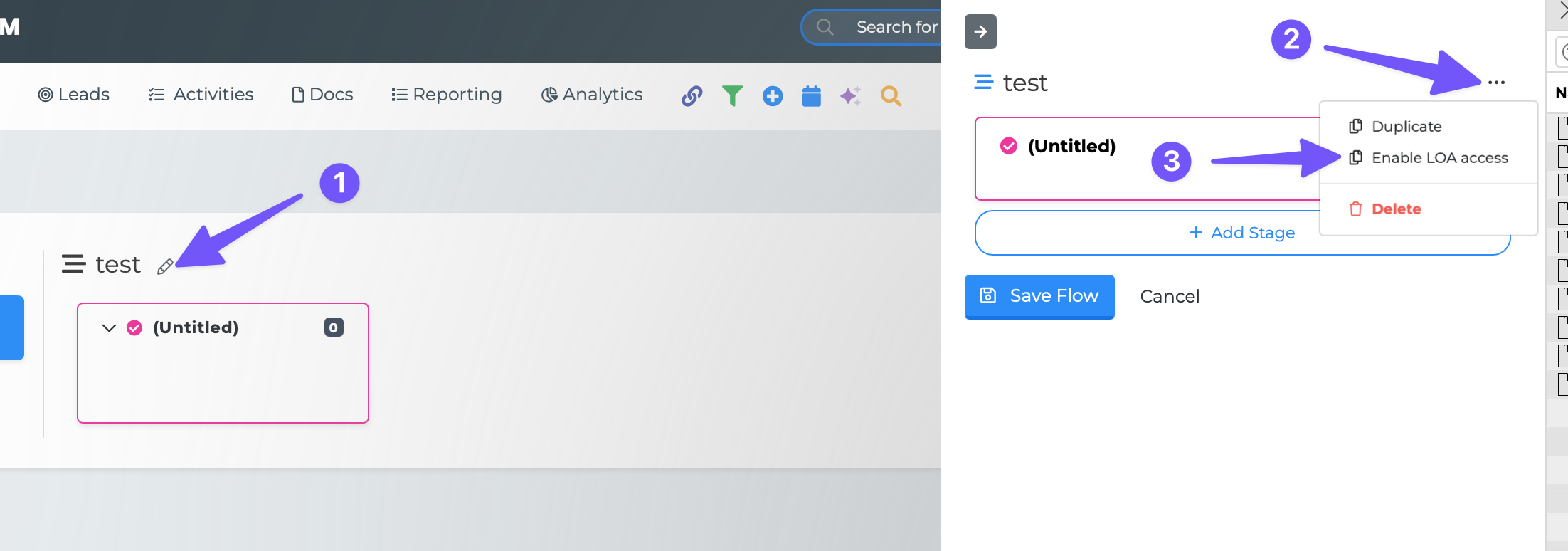
Go to the Flow or make a new Flow you want to share
Click the edit icon next to the Flow name
In the edit window click the ellipsis
Click "Enable LOA access"
Save
Now you LOA agents can view and interact with this Flow from their login.
Flows